Blog
Autodesk Flame : What’s New in Flame Family 2026


What's New in Flame Family 2026
Autodesk’s official Flame 2026 release notes are a goldmine of detail for advanced users, developers, and system integrators. Beyond the headline features, there are some very relevant workflow and stability improvements.
Learn about new features in this release of the Flame Family applications. For technical details, see the release note links below.
2026.2 Update
Highlights
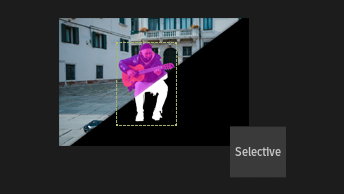
Selective
Use AutoMatte to quickly create mattes for a wide variety of defined objects. Blend multiple ML Selectives together. Load any ONNX matte extraction model in the ML menu. Output the result of a Selective as a matte clip.
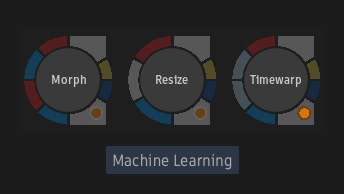
Tools
On macOS Sequoia 15.4 or later, when running on workstations equipped with Apple silicon, the frame interpolation and upscaling machine learning models run on the GPU and Apple's Neural Engine (ANE) to offer better performance.
Snapshot
Export Snapshots from the Batch and Effects environments.
Batch
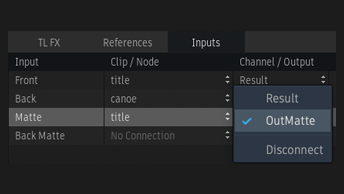
Create, modify, or sever connections to a node's input sockets in the Explorer. Set System-based Preferences for Batch and Batch FX, and for the Render and Write File nodes. Centralise these preferences in your facility using the sysconfig.cfg file.
Need Help with Autodesk Flame 2026?
We’re here to support you with the latest product advice, upgrades, and solutions.
Contact us today on 01932 255666